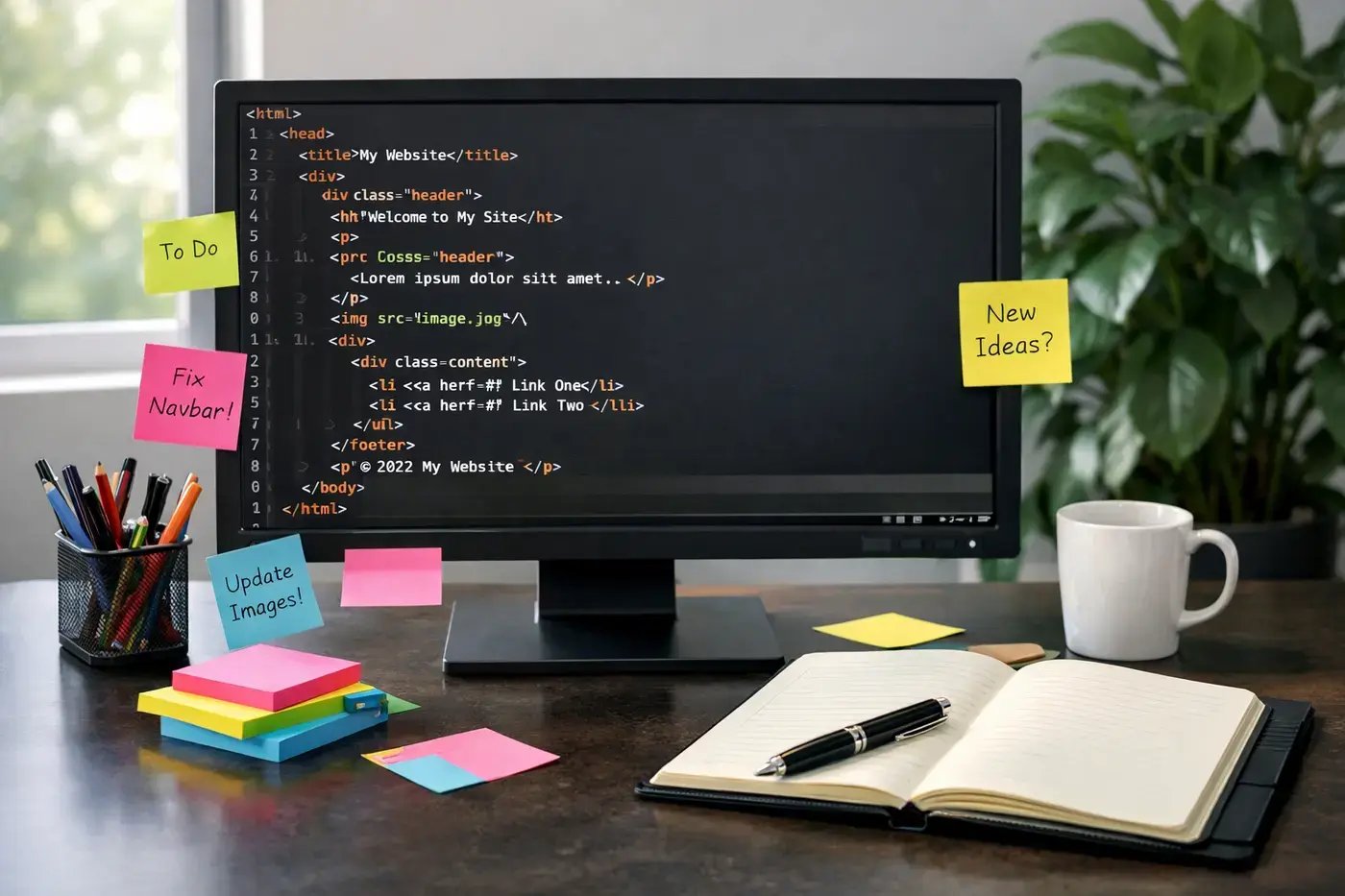
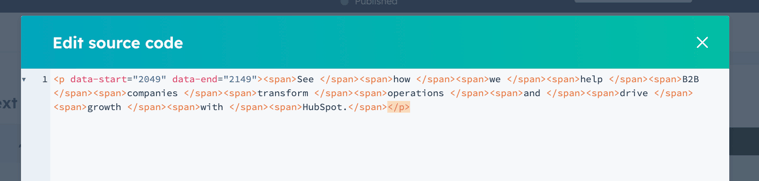
If you've ever opened your website's source code and seen a wall of <span> tags, mismatched fonts, and inline styles that nobody remembers adding, congratulations: you've been vibe contenting. It's the well-intentioned but chaotic approach to building web content that slowly turns a clean, professional website into a digital junk drawer.
Let's fix that.
Vibe Contenting
First, let me note that the term "vibe contenting" is something that I first heard from a friend and colleague, Roberto Pacheco... so giving credit where credit is due!
Second, everyone has heard "vibe coding" in reference to programming and web development where people use various new AI tools to generate the code for them. Many people have begun doing the same for website content and site designs. While they may look good (sometimes) and can be done quickly, they do NOT provide you with an end result that is intended for usage within a CMS.
This process of trying to cut corners with your website content is what I am labeling here as vibe contenting.
What Is a HubSpot Theme (and Why It Matters)?
Now, as we are looking specifically at this issue within HubSpot's CMS (Content Hub), we need to define what a HubSpot theme actually is. Within HubSpot, a theme is a collection of pre-designed, reusable assets including templates, modules, global content, and style settings that create a consistent look and feel across your entire website. Think of it like a set of LEGO bricks: every piece is designed to work together. The theme controls your global fonts, colors, and button styles so you don't have to make those decisions page by page.
The goal is a professional, branded website without needing to write code from scratch, and without the hodge-podge of mismatched styles that comes from everyone doing their own thing.
The Copy and Paste Problem
This is where most people get into trouble.
Copy and paste is unavoidable, but how you do it matters enormously. When you copy text from a Word doc, Google Doc, or another website and paste it directly into HubSpot's rich text editor, you're not just bringing the words. You're dragging along a hidden payload of inline styles, font declarations, and HTML garbage that can:
- Slow down your page load times
- Create accessibility problems
- Hurt your SEO through Core Web Vitals issues and index bloat
What Is Inline CSS?
Inline CSS is styling applied directly within the content itself, like this:
<p style="text-align: center; font-size: 24px;"><span style="font-family: Quicksand; font-weight: 500;">At Acme Manufacturing, we specialize in delivering <span style="color: #ff0201;">high-quality</span> manufacturing solutions tailored to meet the unique needs of our clients.</span></p>
Because inline styles carry the highest CSS priority, they override your theme. That means your carefully configured global fonts and colors get ignored, and you end up 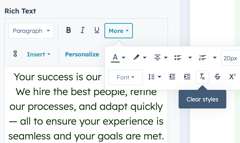 with a Frankenstein page that looks different every time someone edits it.
The fix: Always paste as plain text. Use HubSpot's built-in "Clear Styles" tool to strip out any formatting that snuck in.
Text Editor Do's and Don'ts
✅ DO:
-
- Paste as plain text. Do your formatting inside HubSpot, not before you get there.
- Use Shift+Enter for line breaks. Pressing Enter creates a new paragraph with spacing. Shift+Enter gives you a line break without the gap. Use the right one for the right job.
- Control spacing with padding and max width. Use section and module padding settings along with max-width constraints to manage your content layout.
❌ DON'T:
- Paste in images, videos, links, or embedded media. Handle all of that directly within HubSpot's editor.
- Use double line breaks to fake spacing. Don't stack empty <BR> tags or empty paragraphs to push content around.
- Try to force line breaks on specific words. It doesn't work the way you think, and it creates a mess on mobile.
- Paste in HTML. Ever.
Images: Size Actually Matters
One of the most common questions from content editors is: "What size should my images be?" Here's the short answer:
- Always 72dpi. This isn't a print shop. High-resolution print images have no place on the web.
- Size to fit. Your image should be no larger in pixels than the largest it will ever display on a page.
- Use modern formats like ".webp".
The good news: HubSpot automatically converts JPG/JPEG/PNG images to WEBP for browsers. Just note that images larger than 4096px in either dimension will not be automatically resized, so size them correctly before uploading.
Spacing 101: Stop Guessing, Start Controlling
Responsive, consistent spacing is one of the most overlooked aspects of content editing. Here's the hierarchy to understand:
- Section — Set to Centered or Full Width
- Max Width — Use this instead of forcing padding to constrain content
- Padding vs. Margin — Padding is inside the element; margin is outside
- Responsive Spacing — Adjust section and column spacing separately for desktop and mobile
Getting this right means your pages look intentional on every screen size, not like someone just kept hitting the spacebar until it looked okay.
Save Your Work (Literally)
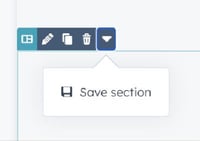 When you've dialed in a page section that looks great and functions well, save it as a Saved Section. HubSpot allows you to store up to 50 saved sections, making it easy to reuse polished layouts across pages without rebuilding from scratch or, worse, copy-pasting and reintroducing all those inline styles we just talked about.
The Bottom Line
Vibe contenting feels fast in the moment but creates compounding problems over time: slower pages, broken styles, SEO penalties, and a website that nobody can maintain consistently.
The alternative isn't complicated. It's just disciplined:
- Respect the theme.
- Paste clean.
- Size your images.
- Use spacing tools, not hacks.
- Save what works.
Your website (and your future self) will thank you.